Demo · HANDS ON. · Dashboards & automation
Bookingsystem
- Demo · HANDS ON.
- 2026
- Working booking site, Booking flow, Payments (iDEAL), Invoicing & reminders, Admin dashboard
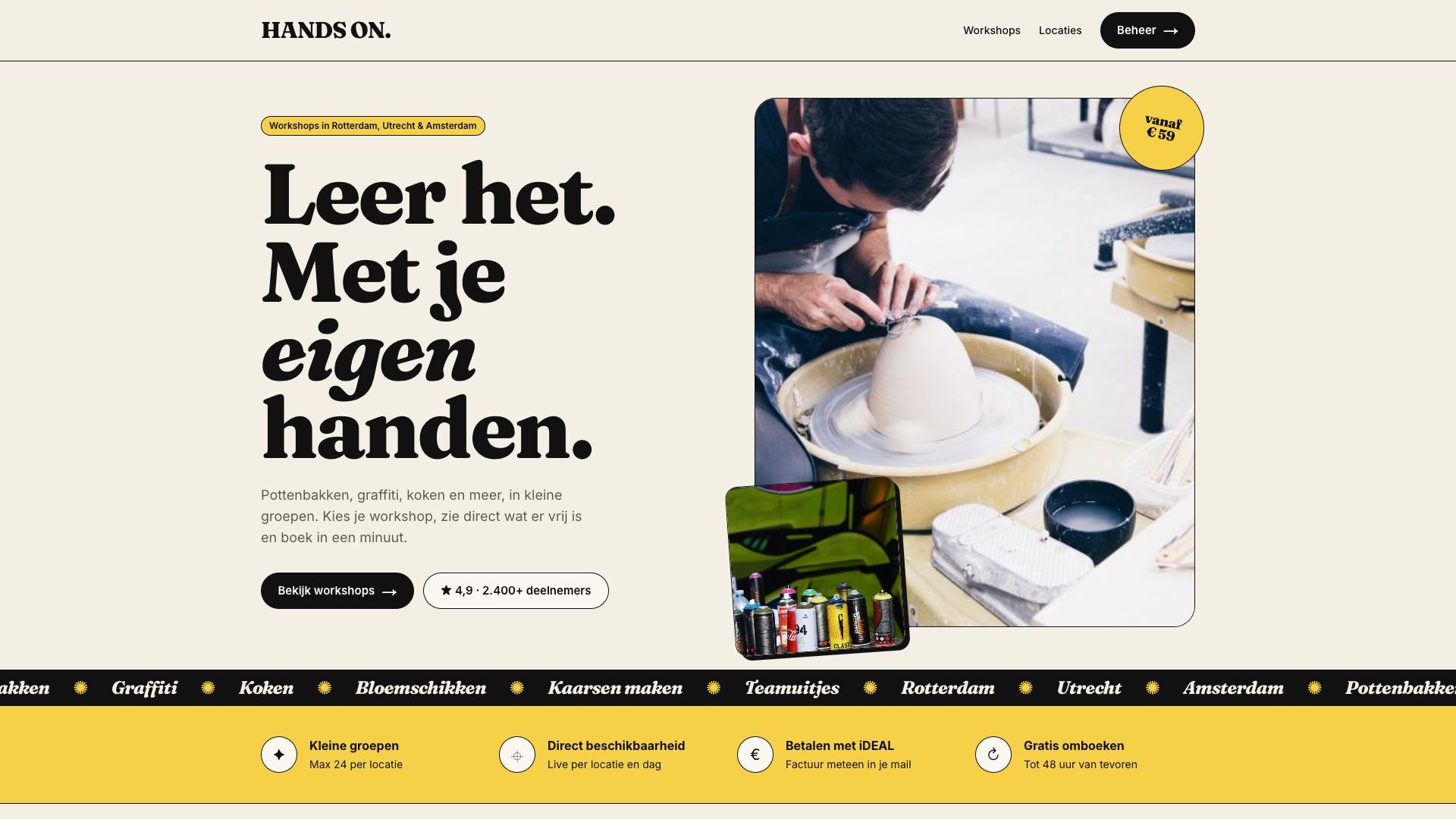
A working booking site for HANDS ON., a workshop provider with three venues. Customers book themselves; availability, payment, invoice, calendar and reminders are handled by the system.
Results
- 5
- tasks per booking automated
- < 1 min
- from choosing a workshop to paid
- 0
- double bookings possible
- 24/7
- bookable, also after hours
01 · The question
One booking, five separate tasks
Many workshop providers still take bookings by email or phone. Someone checks whether the venue is free, sends a confirmation, creates an invoice, adds it to the calendar and chases payments.
That easily takes fifteen minutes per booking, and every step is a chance for mistakes: a double booking, a forgotten invoice, a customer who drops out because the reply takes too long.
02 · Approach
Built on your own offering
The site is filled with your own workshops, venues, prices and capacity, so you see right away how your booking flow works.
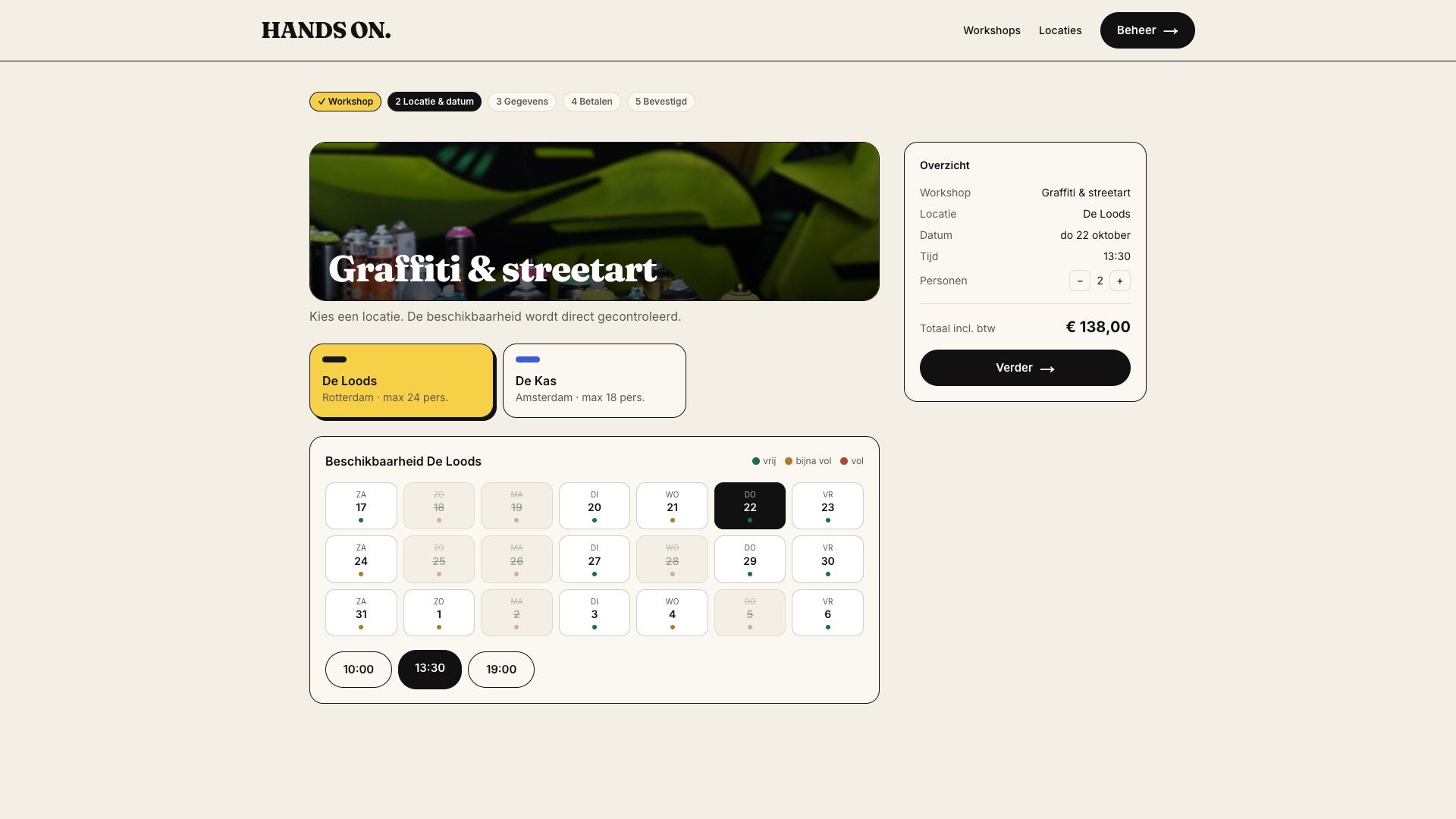
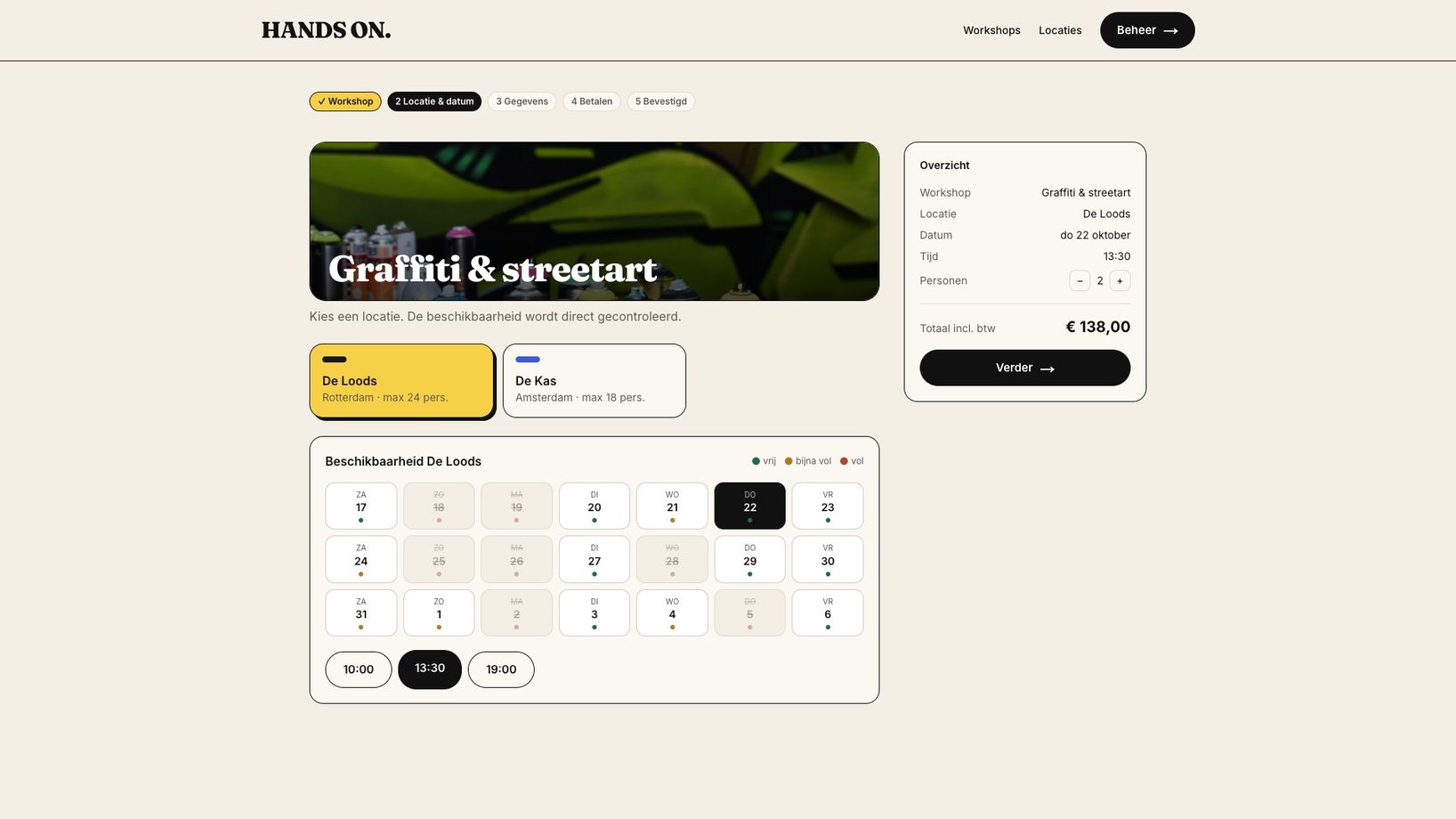
Customers pick a workshop, see live availability per venue, choose date, time and group size, and pay straight away with iDEAL.
03 · Automation
After payment, the system does the rest
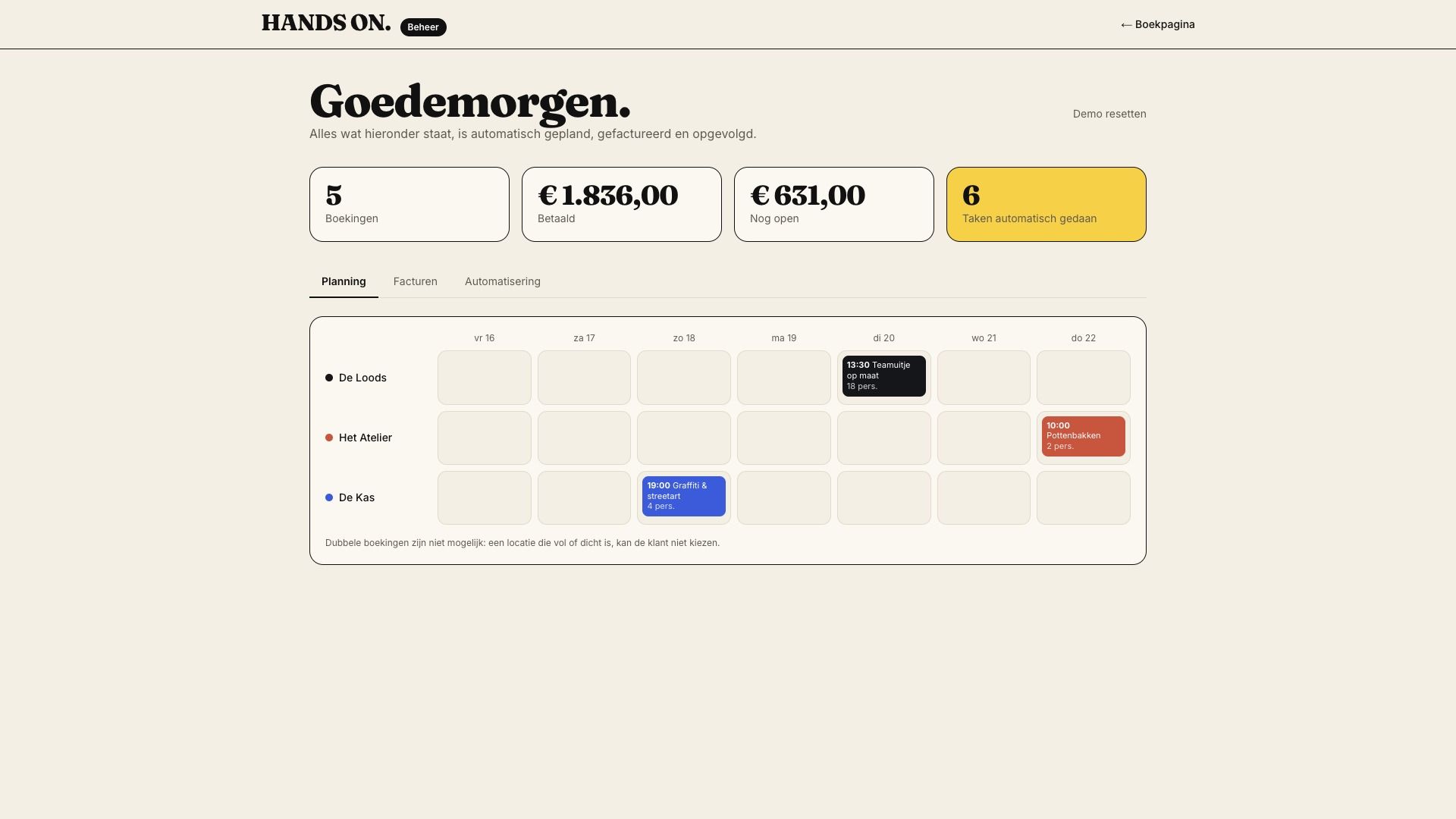
Once paid, the system reserves the spots at the venue, creates the invoice, emails it to the customer and adds the booking to the venue and team schedule.
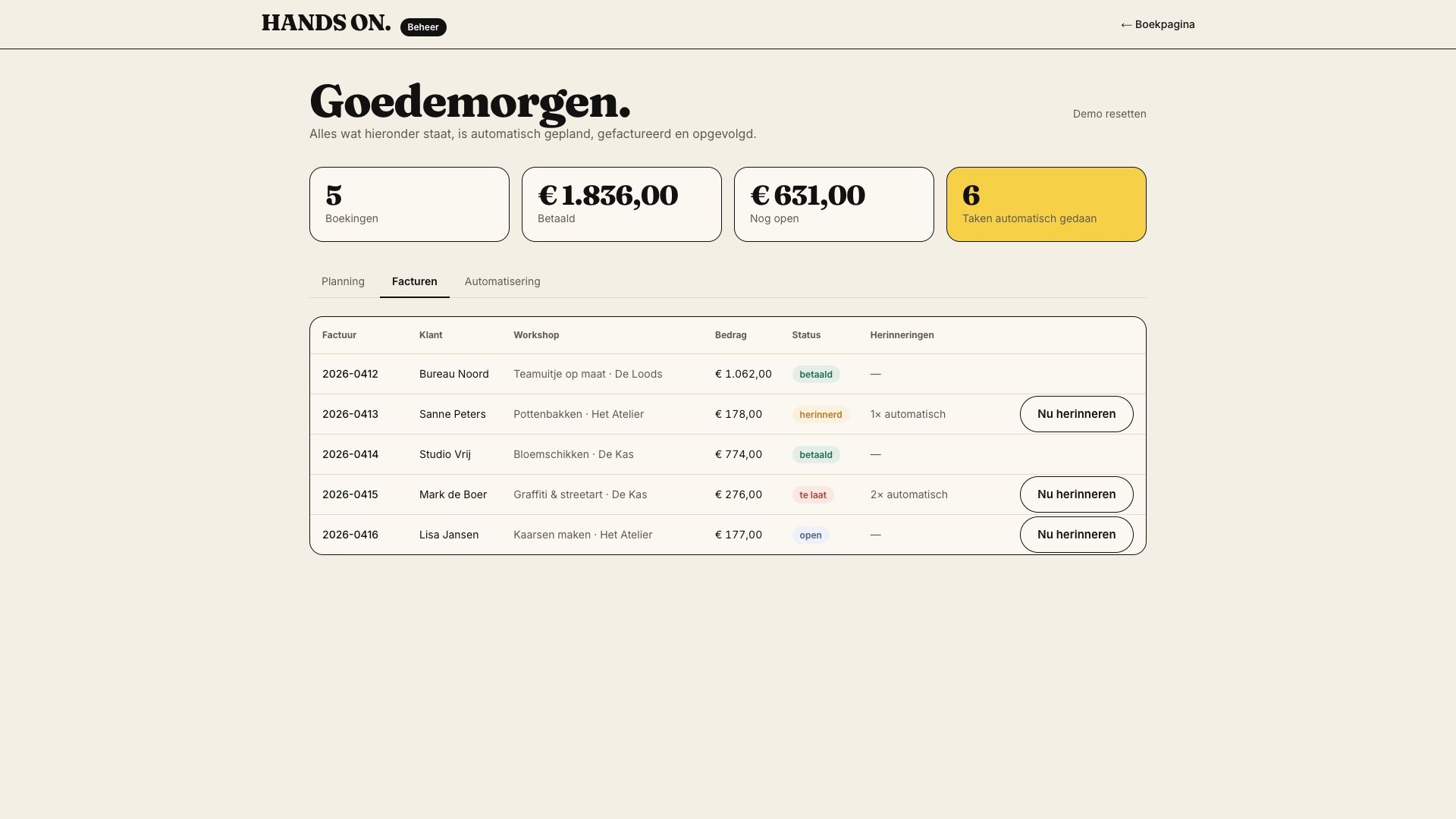
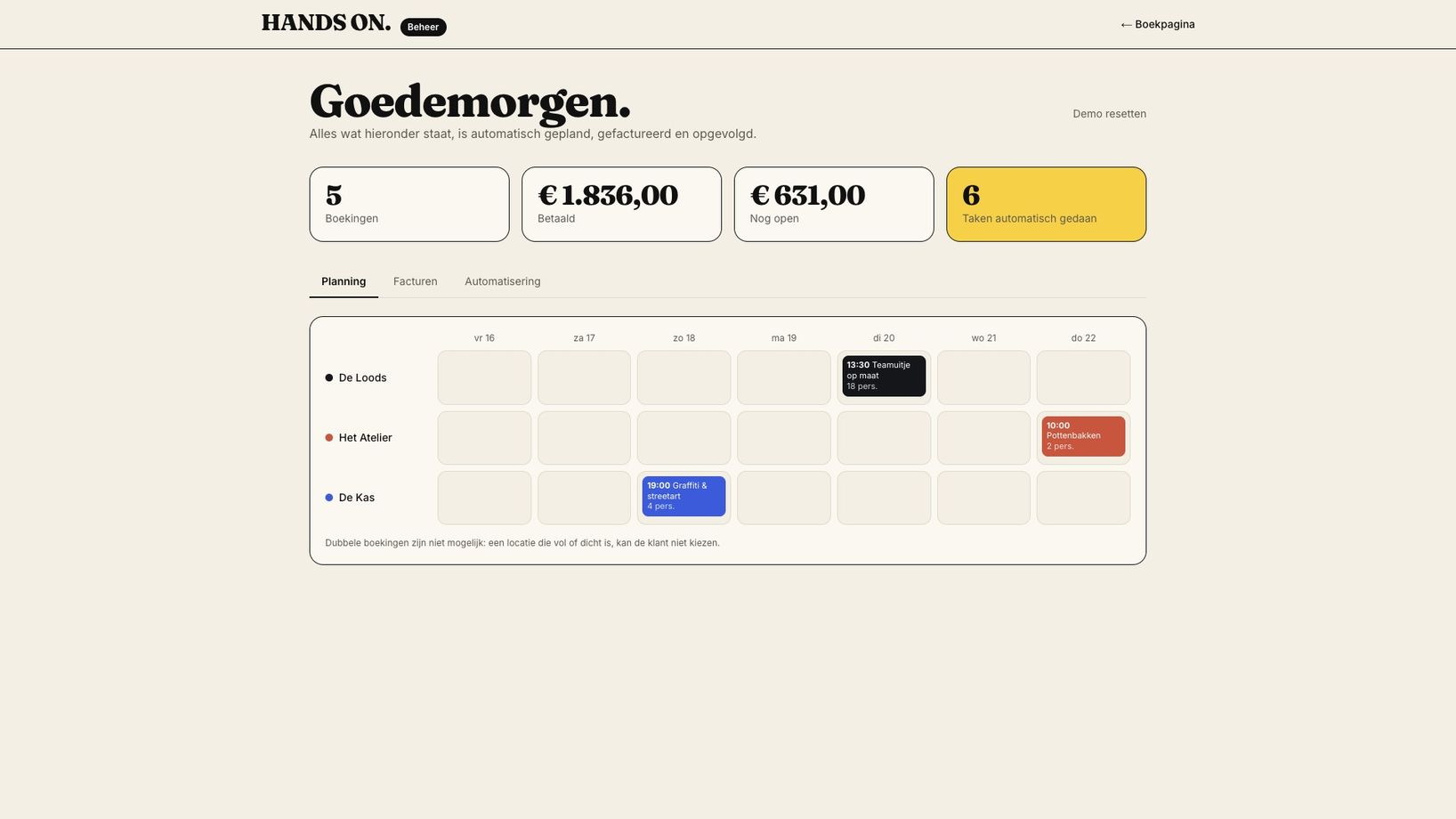
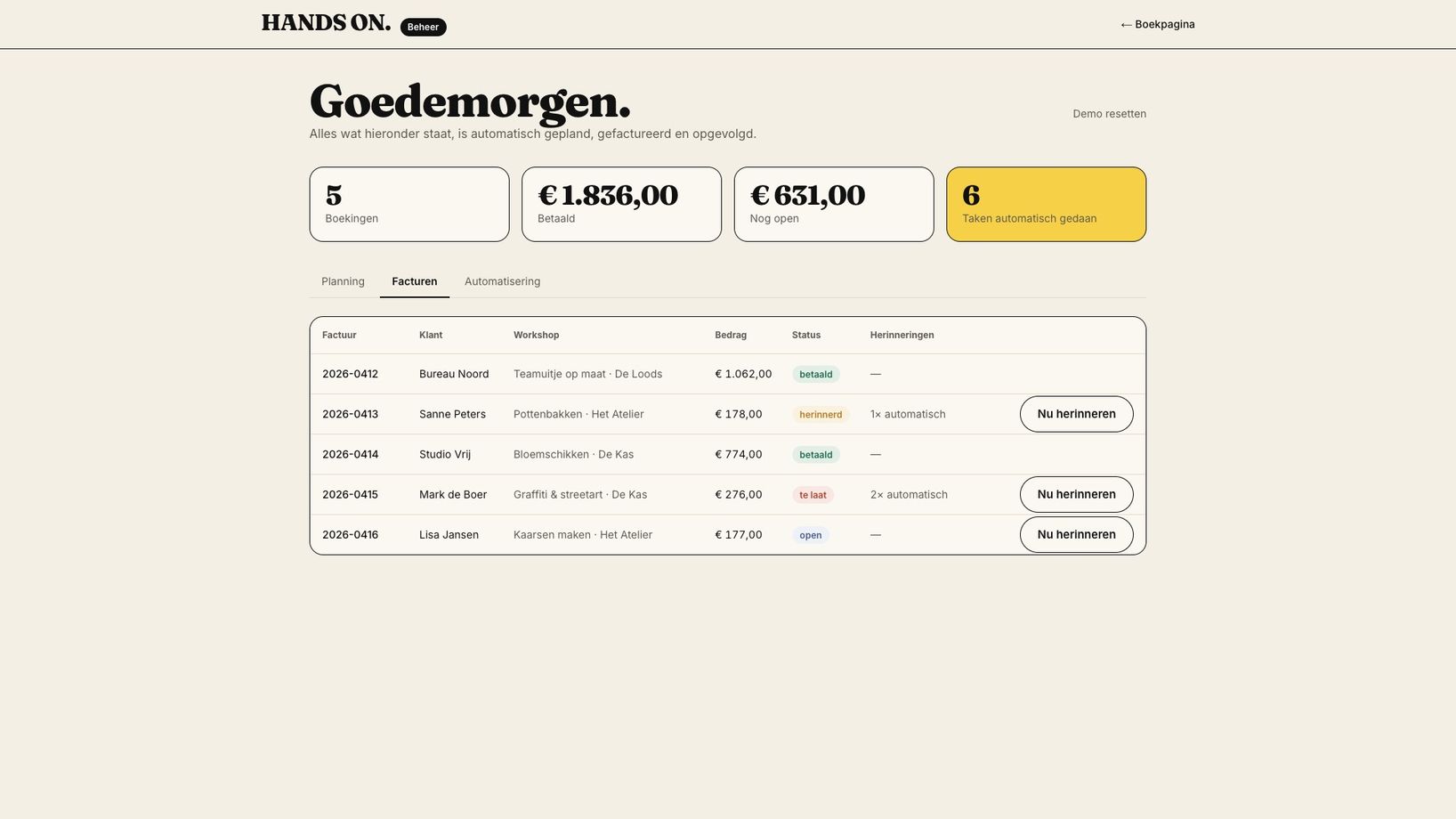
Not paid after 3 days? An automatic reminder with a payment link goes out, after 7 days a second one plus a notification to you. The admin shows per venue what is scheduled and what is still open.
04 · Result
Less manual work, more bookings
Because customers book themselves, also in the evening and at weekends, fewer people drop out. Instant confirmation and payment build trust, and reminders mean less chasing money.
The time you win back goes to what matters: running great workshops and winning new customers.
What the site does
- 5
- tasks per booking automated
- < 1 min
- from choosing a workshop to paid
- 0
- double bookings possible
- 24/7
- bookable, also after hours
On screen
From booking to invoice
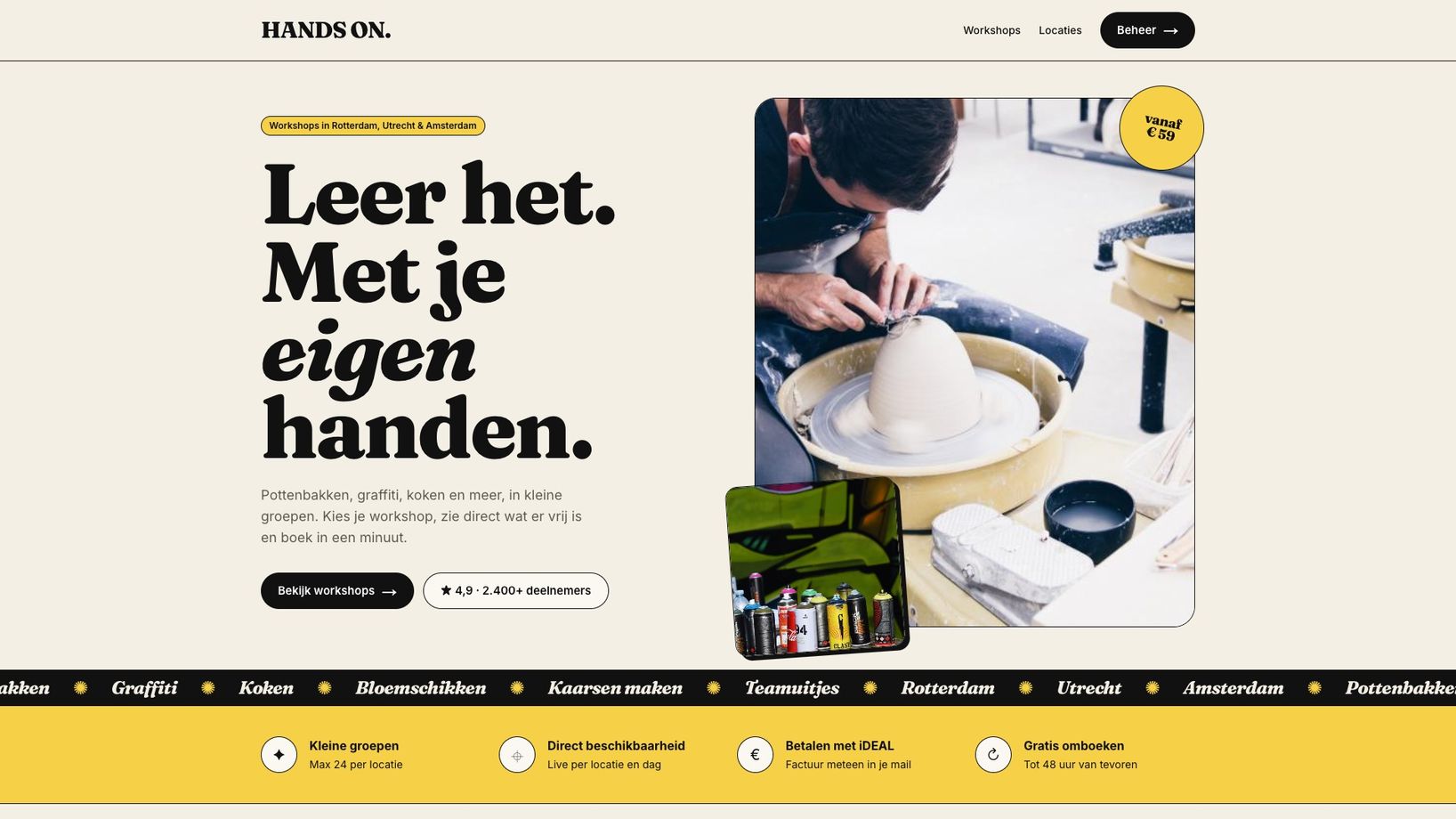
First the customer: choosing a workshop, checking availability and paying. Then the admin: schedule, invoices and automatic reminders.
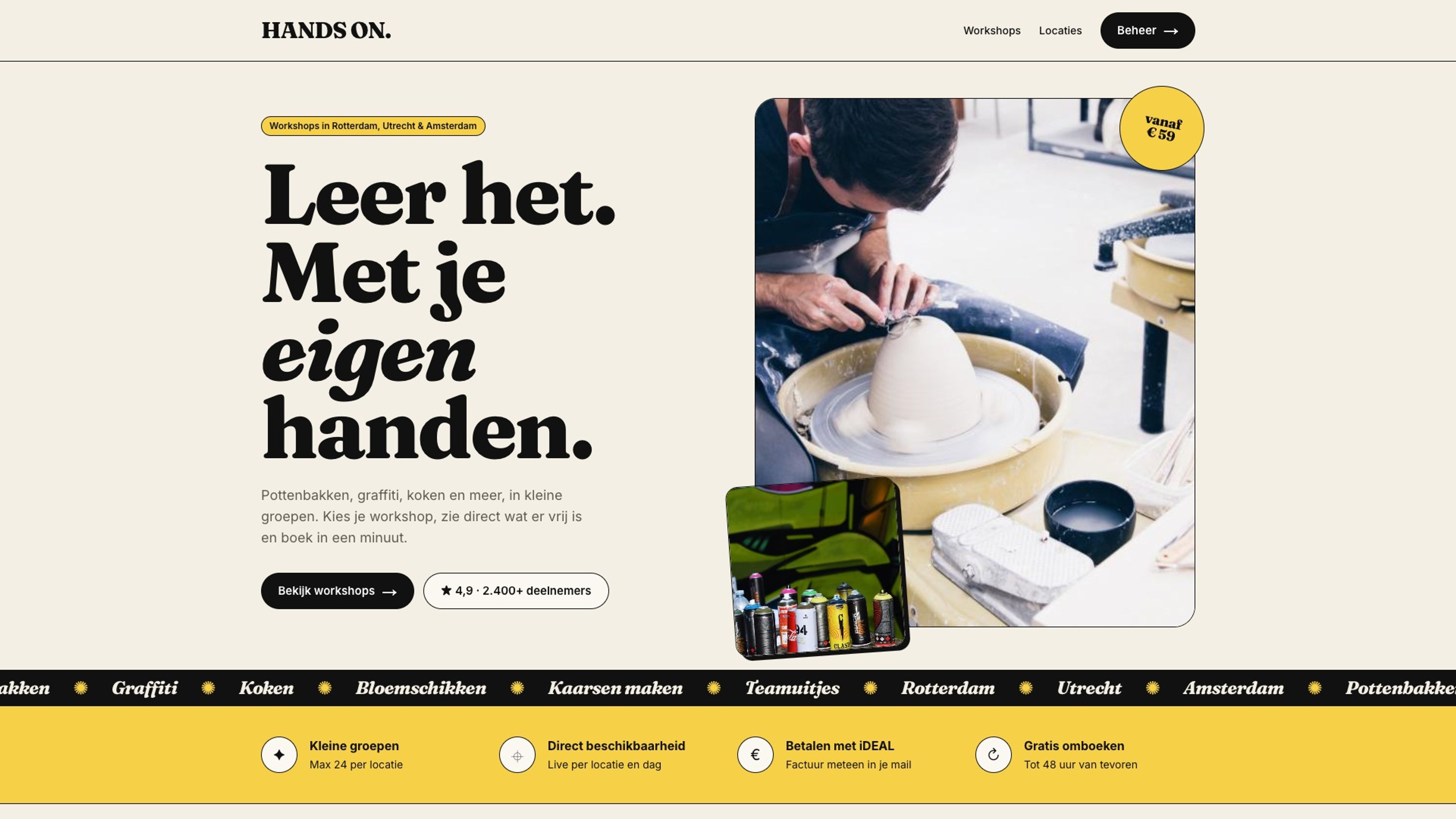
How a booking flows
How a booking flows
Five steps that used to be manual, now automatic.
- 01
Customer books
Workshop, venue, date and group size in one flow.
- 02
Venue checked
Full or closed can’t be chosen, so double bookings are impossible.
- 03
Payment
Instantly via iDEAL, with on-screen confirmation.
- 04
Invoice & calendar
PDF invoice emailed, venue and team schedule updated.
- 05
Reminders
Automatic after 3 and 7 days, only if still unpaid.
More customers
How automation helps you grow
Always bookable
Customers book when it suits them, not when you read your email.
No drop-offs
See availability instantly and pay right away: no waiting for a reply.
Get paid
Reminders with a payment link go out automatically, no awkward emails.
Overview
All venues, bookings and invoices in one place.
Connectable
Links to your accounting, calendar, CRM or newsletter.
Scalable
Adding a venue or workshop is just filling in a form.
Visuals
From the site
Next case →